
Knowledge Base and external URLs
Open Knowledge Base → Content Sources. Adding sources does not retrain the model. Indexing prepares searchable passages that the plugin can retrieve and supply to the AI when relevant.
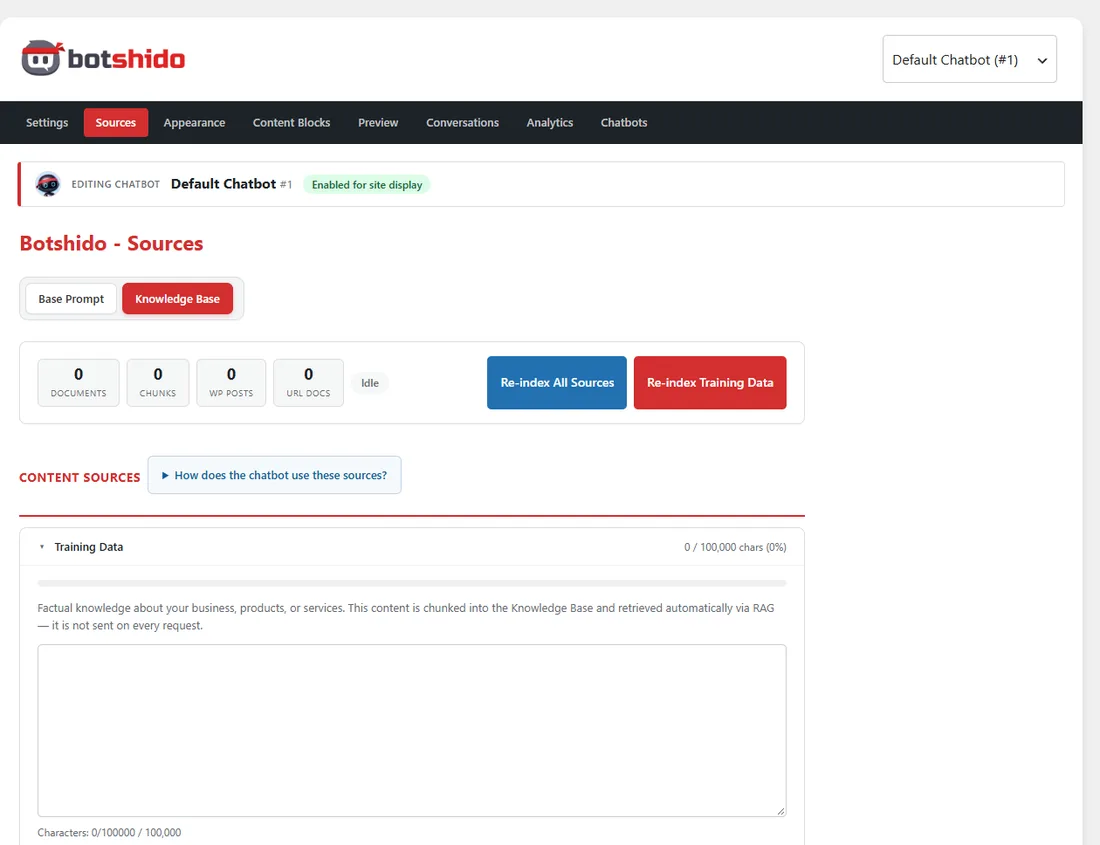
| Source | Purpose |
|---|---|
| Text / Training Data | Manually pasted business information, FAQs, opening hours and procedures. |
| WordPress content | Pages, posts and the content types available in the selector. |
| External URLs | Individual public HTML or plain-text pages. |
Adding and updating sources
Section titled “Adding and updating sources”- Select the correct chatbot.
- Enter or select sources and save using their respective controls.
- Use Re-index All Sources to rebuild the index, especially after changing the embedding model.
- Check the queue status. Wait for completion before evaluating answers.
- Ask a specific question about something you just added.
If a job fails, read the error, correct its cause and use the available retry controls. Background processing also depends on WordPress scheduled tasks working correctly.
External URL limitations
Section titled “External URL limitations”Enter the full URL of a publicly accessible page, such as https://example.com/services. The importer fetches that page; it does not automatically crawl the whole website.
PDFs, login-protected pages and content loaded only through JavaScript are not supported. The importer limits responses to 2 MB, and websites may block automated access. Reimport or reindex the source to refresh the captured text.
Integration data, such as WooCommerce products, is retrieved during chat: it does not have to appear in the indexed source list. Check it in the Integrations tab.